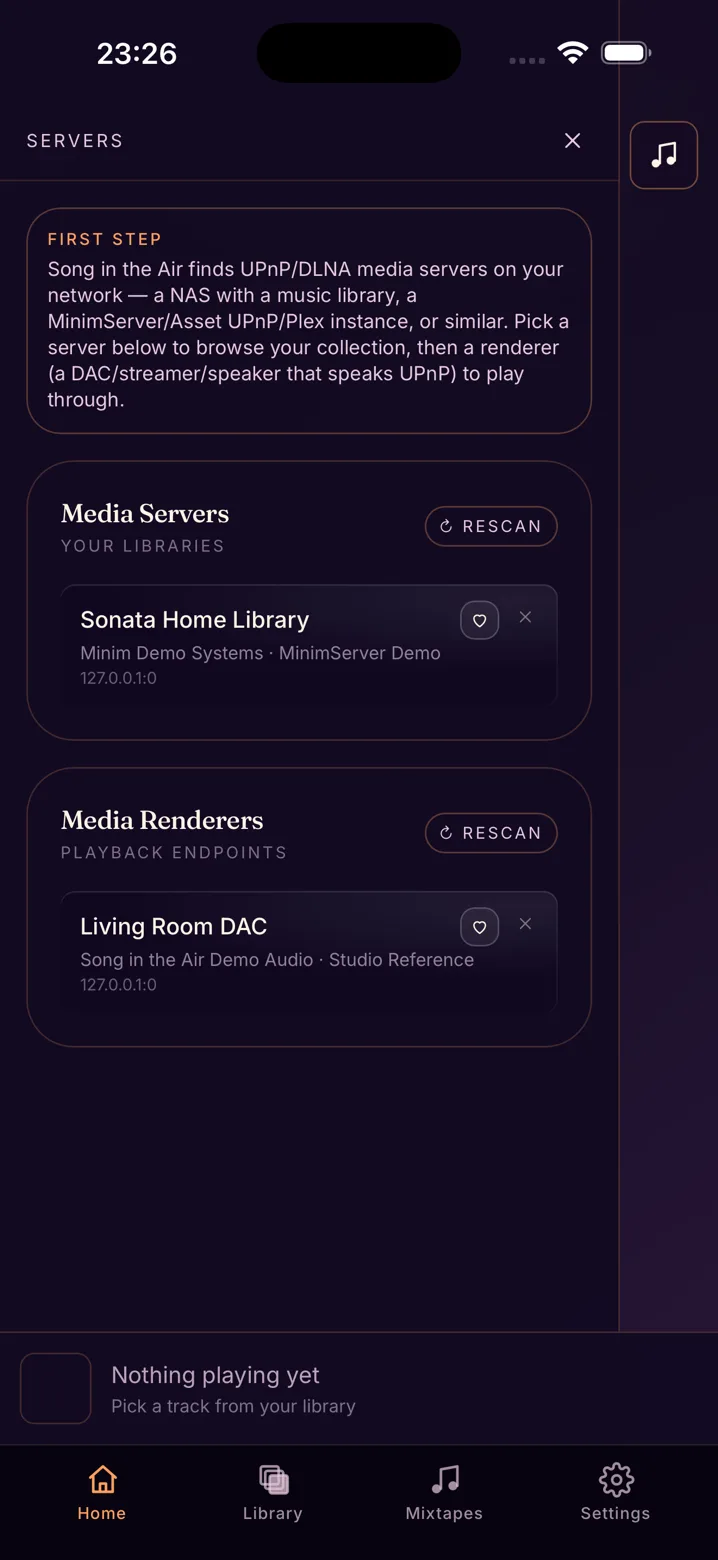
1 Find your gear
The app finds your servers and players on the network by itself.
 Song in the Air
For iPhone and iPad · UPnP & DLNA
Your music lives on a Synology or a server running MinimServer or Asset UPnP, and you have a hi-fi to play it on. This app brings the two together and then gets out of the way.
 Subscription, cancel anytime, or one-time · iPhone & iPad · iOS 15+ · no account
Connect it to your Synology, MinimServer or Asset UPnP server and your whole library shows up. You don't have to import anything or create an account.
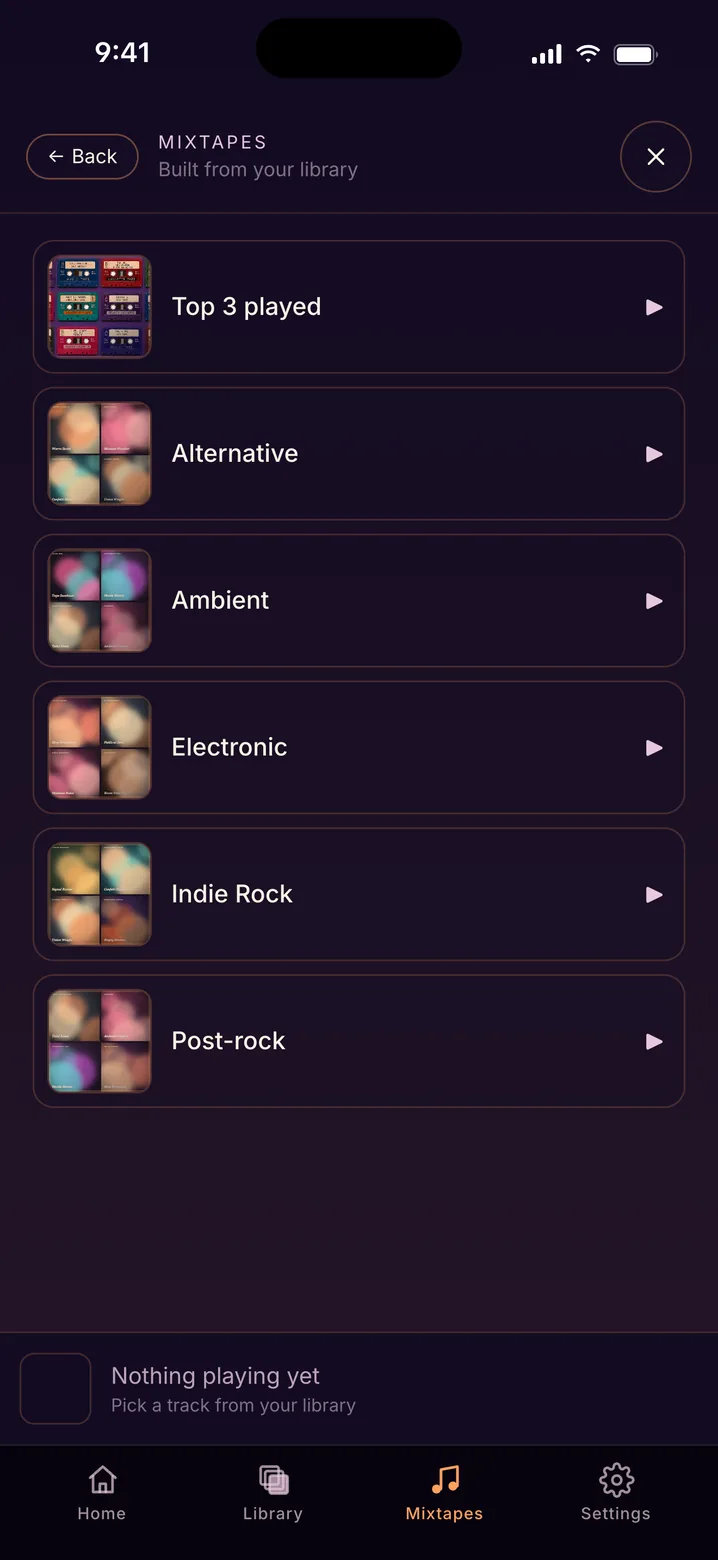
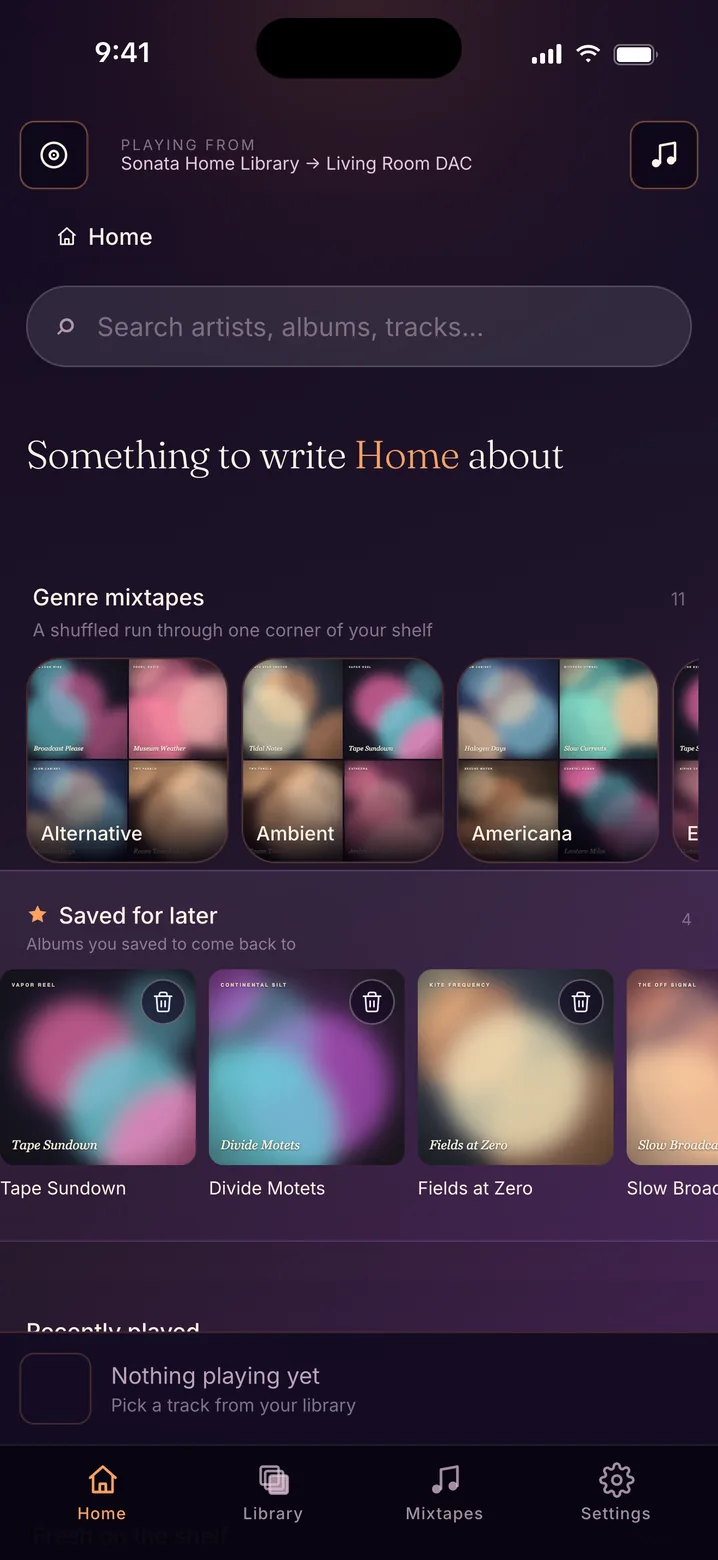
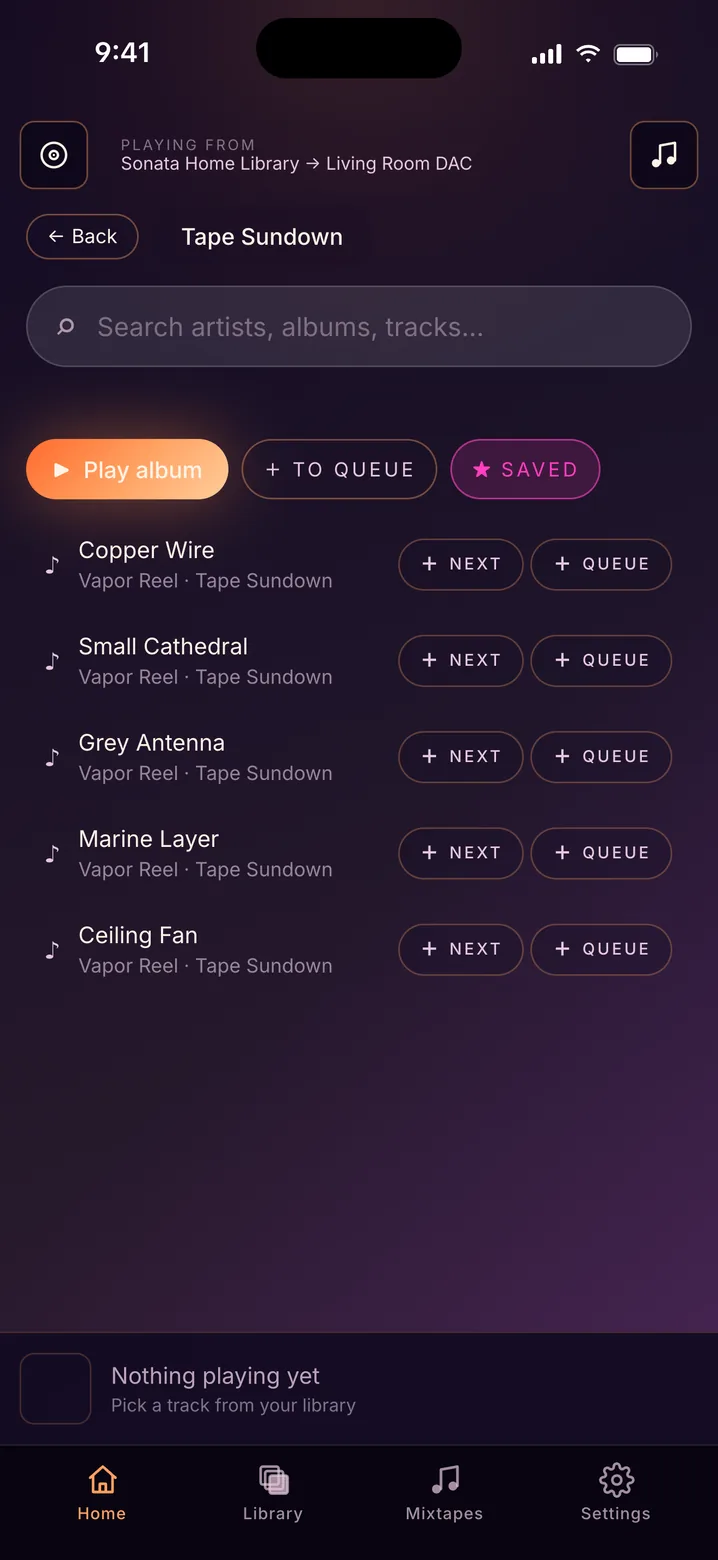
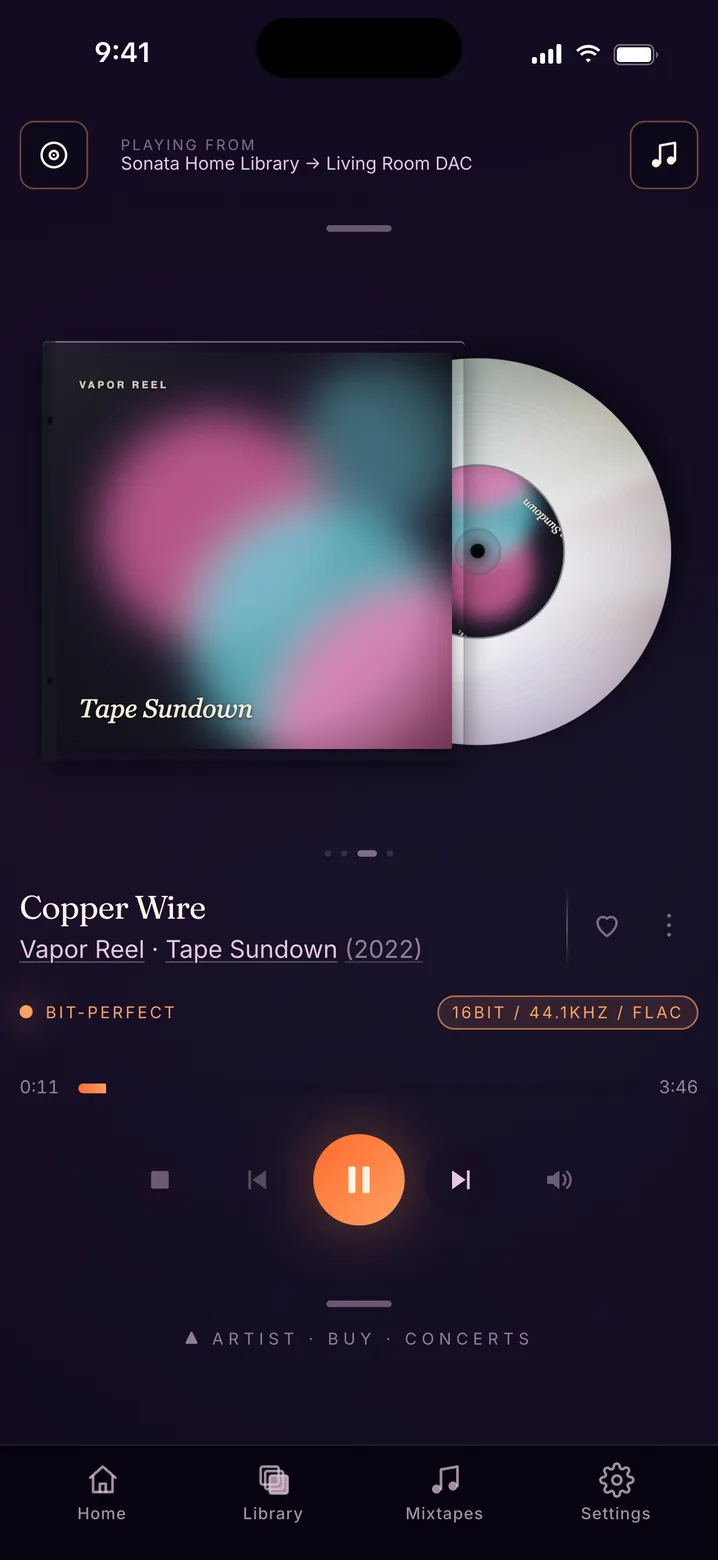
So instead of always asking what's new, the app helps you find what's already there.
Bit-perfect
Lossless, unlike your ex.
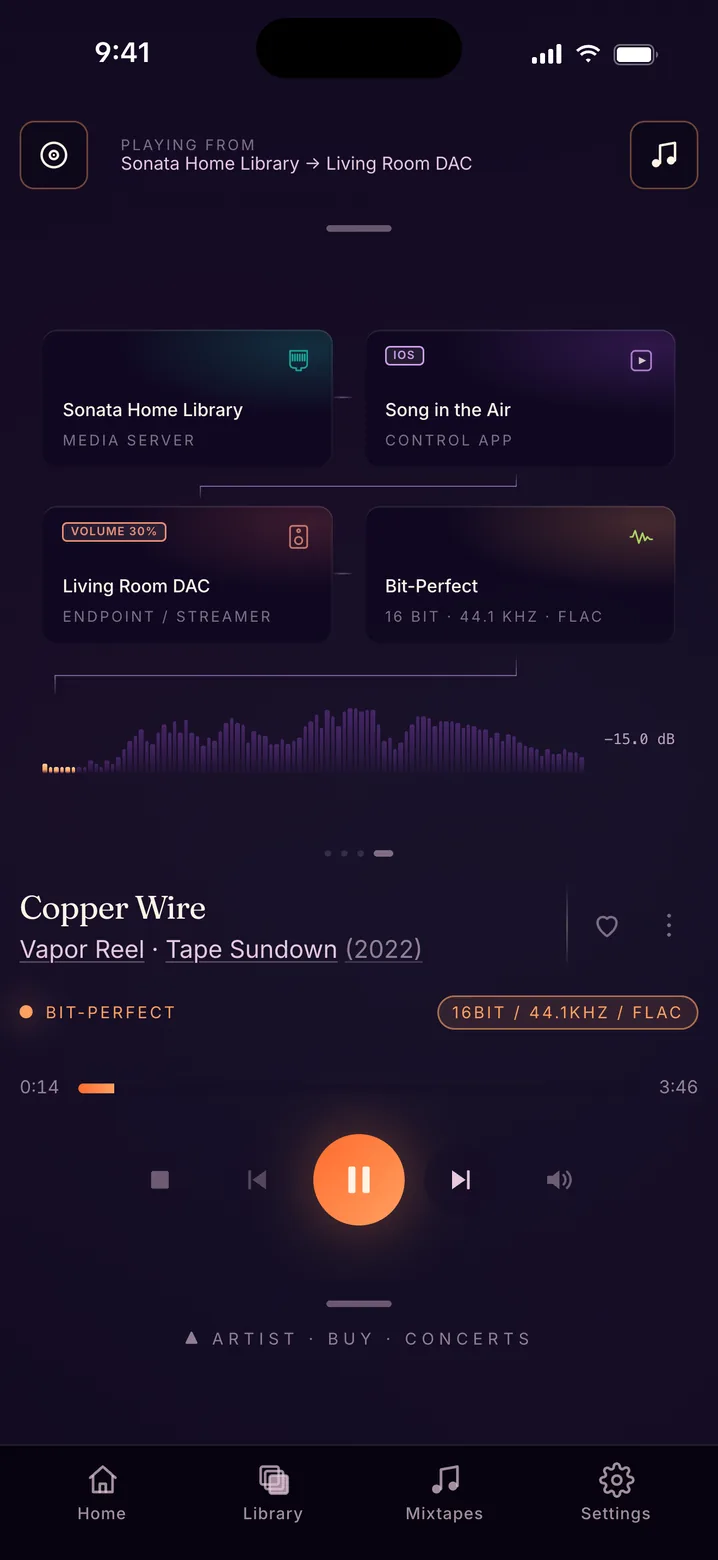
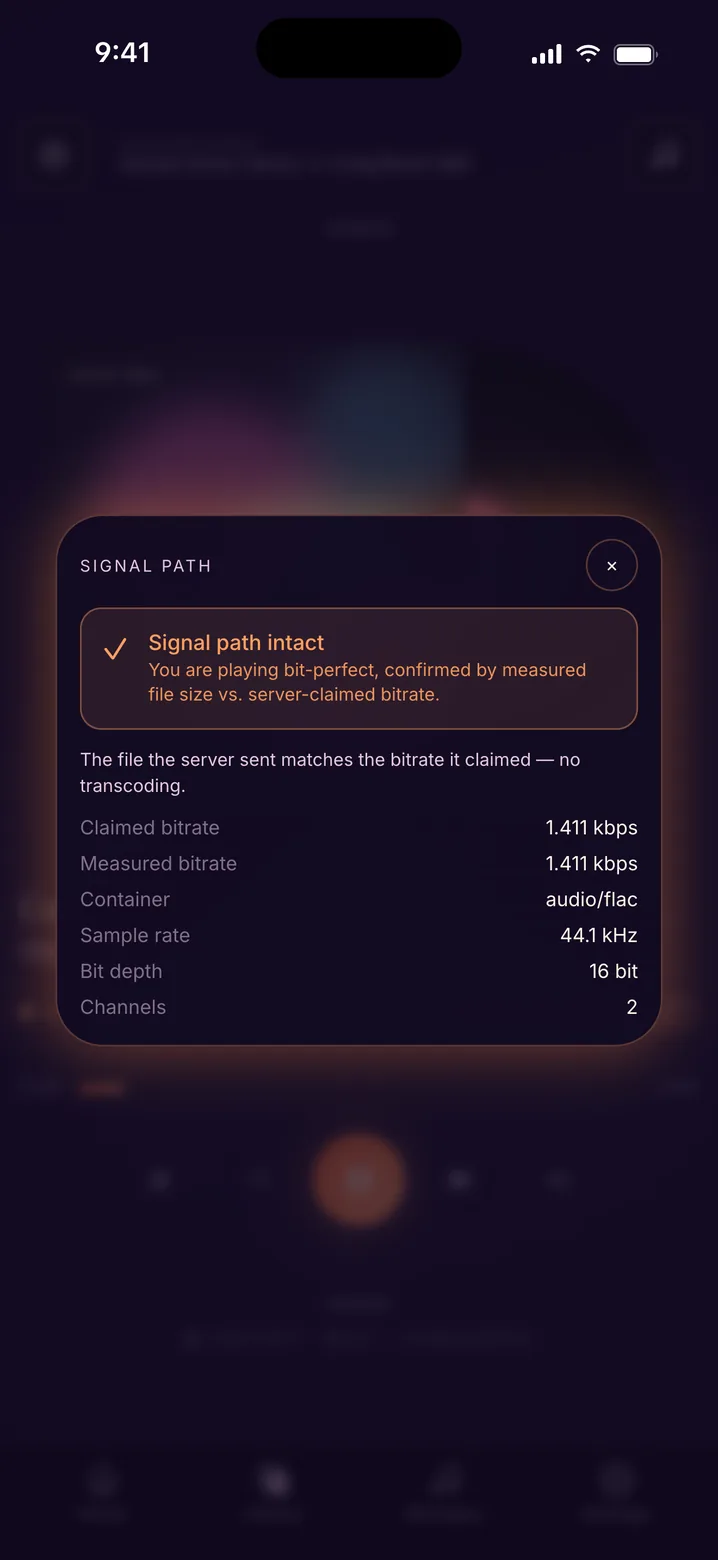
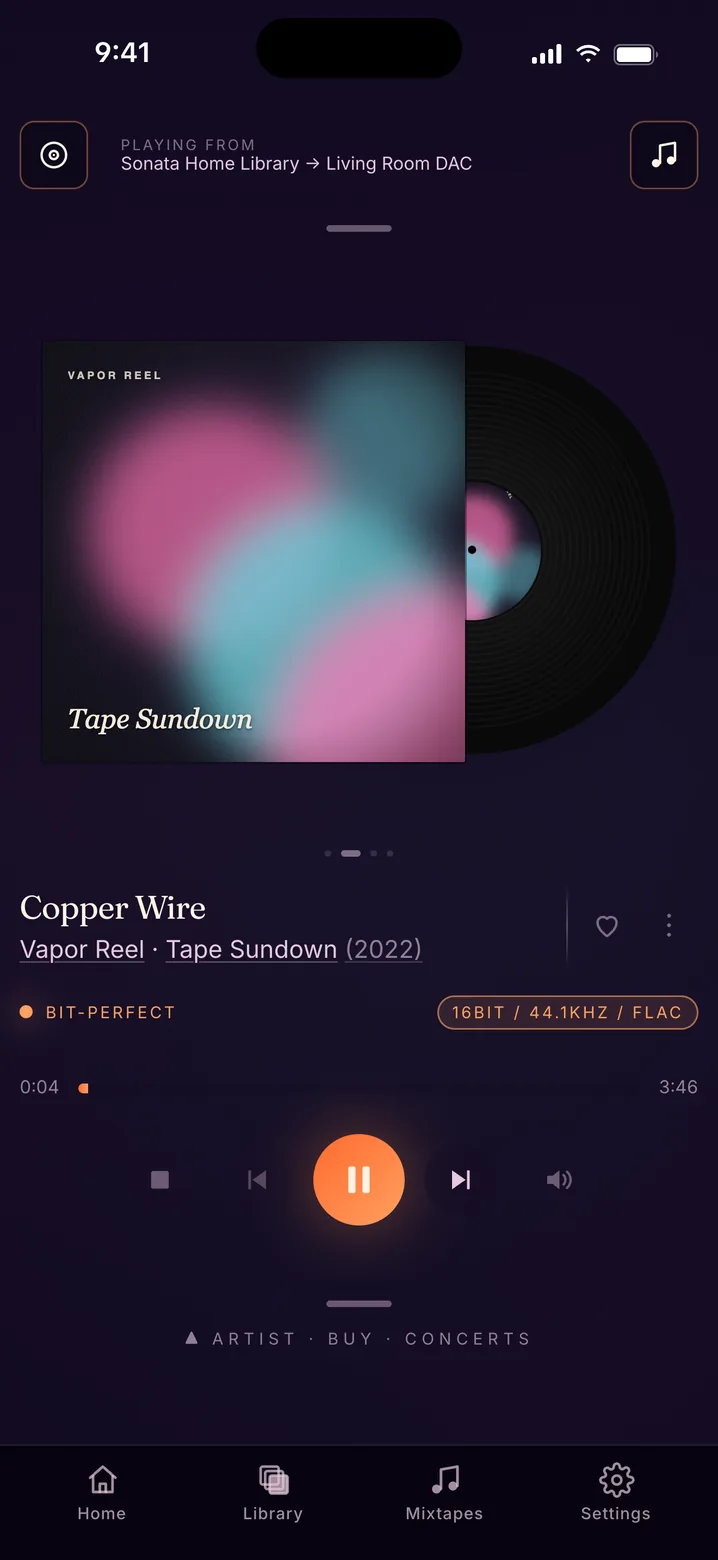
When you play to a network player, the music goes from your server directly to your hi-fi. The app only tells the player what to play. Some servers quietly convert files along the way, though, so the app checks every track and shows you what it found.
Transport · free and optional
Transport is a Raspberry Pi that holds your music, serves it and plays it, on a Wi-Fi network it sets up by itself. Plug in your own DAC and take it wherever you're going.
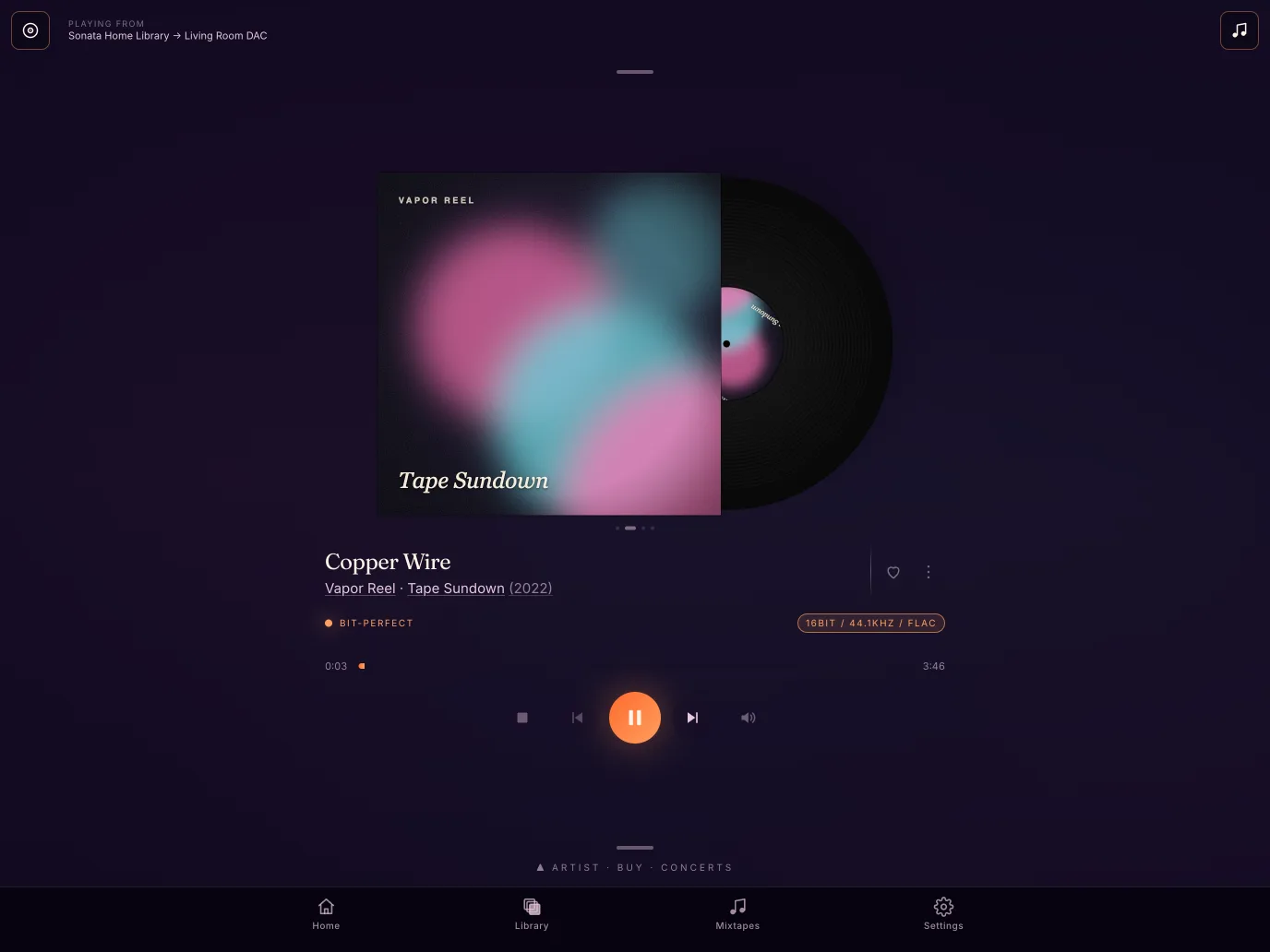
Song in the Air runs on iPad as well as iPhone, upright and sideways. The cover gets the room a big screen gives it, the track list stops hiding behind a tap, and the player lays itself out for whatever size you are holding. One purchase covers both — it is the same app, not a second one.
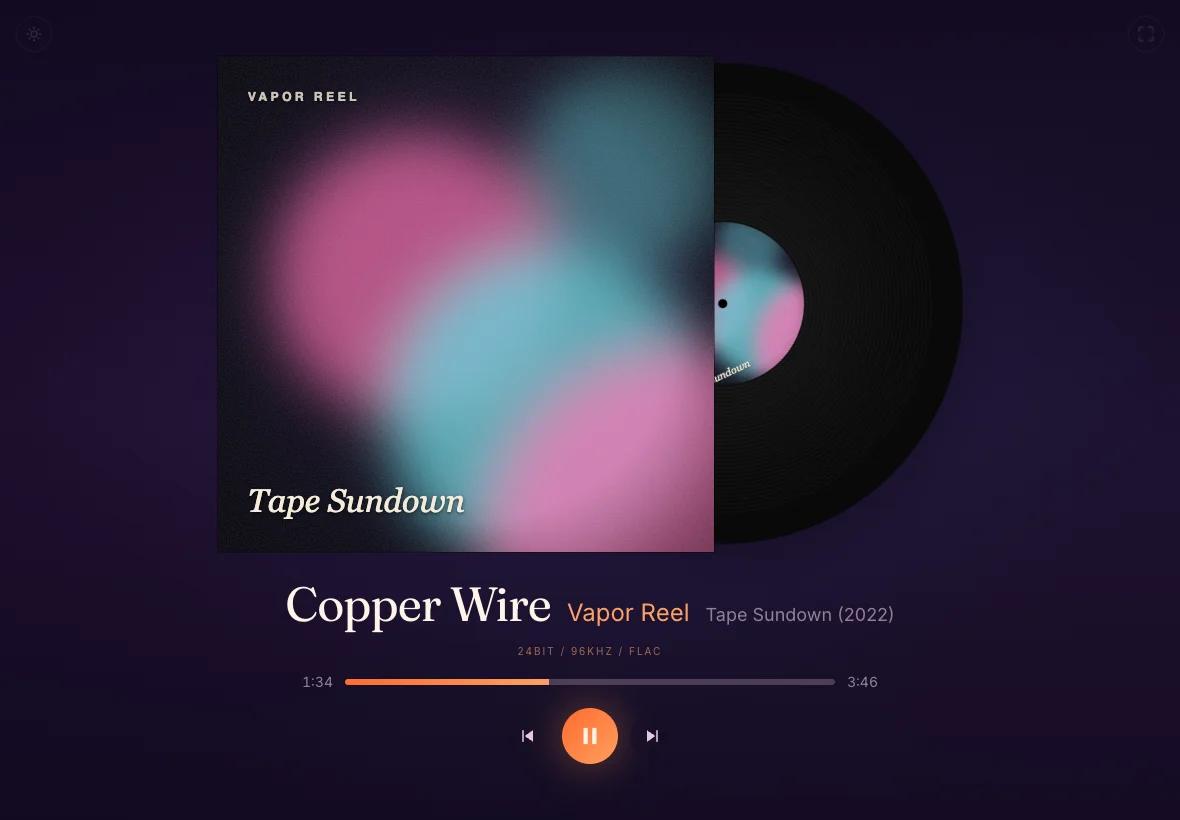
Turn on the second screen in the app and scan the QR code with a tablet or laptop, or open the address in your TV's browser. You'll see the cover, title, year and the actual format, big enough to read from the sofa. Nothing gets installed on the other device, and everything stays on your home network.
The app finds your servers and players on the network by itself.
Browse your shelf with the covers on, or just search.
The music goes from your server straight to your player.
| Song in the Air | Streaming services | Generic UPnP apps | |
|---|---|---|---|
| Plays files you own | Yes | Limited | Yes |
| Bit-perfect to your DAC | Yes | Varies | Sometimes |
| Subscription | Monthly, yearly or one-time | Monthly | Varies |
| Account required | No | Yes | Varies |
| Works with no internet | Yes | Downloads only, while subscribed | Yes |
| Built around the album | Yes | Playlist-first | Rarely |
| Looks like it belongs on iOS | Yes | Yes | Rarely |
Yes. Since version 1.3 it is one universal app for iPhone and iPad, upright and sideways, and one purchase covers both — it is the same app, not a second one. On iPad the cover gets the room a big screen gives it and the player lays itself out for the size you are holding. An iPad also makes a good second screen on its own: turn that on in the app and the iPad shows the cover, title and the real format across the room while your phone stays free to browse for what to play next.
It means your music reaches the player exactly the way it's stored on your server, with every sample unchanged. When you play to a network player, the music doesn't go through the app at all. The app just tells the player which file to fetch, so nothing gets resampled, converted, equalised or turned up or down along the way. A 24-bit/192 kHz FLAC leaves your server as a 24-bit/192 kHz FLAC. If your server converts files on its own, the bit-perfect check will show you. What your player or DAC does after that is up to them.
The app checks every track. Your server tells it the bitrate of each file, and the app compares that with the size of the file the server actually sends. If they match, you see Bit-perfect. If they don't, you see Not bit-perfect, which means something is converting the stream. AirPlay always shows Not bit-perfect, because it resamples to 44.1 kHz / 16 bit. If there isn't enough information, you see Unverified. Tap the badge in the player for the details.
No. AirPlay resamples everything to 44.1 kHz / 16 bit, and Bluetooth uses a lossy codec. For bit-perfect playback, use a UPnP network player or a USB DAC plugged into your iPhone. With a USB DAC, the app asks for the original sample rate of every track.
Standard UPnP and DLNA servers should all work. We've tested it with Synology DiskStation, MinimServer and Asset UPnP. If yours gives you trouble, write to us. The app finds servers and players on your network by itself.
You don't need an account. The app is a subscription with a free trial, or you can buy it once as Lifetime. The App Store shows the prices for your country, and you pay and cancel through your Apple Account. There's no login of ours and no cloud, so playback only happens between your own devices. Two things do go online: if your server has no cover for an album, the app looks one up at MusicBrainz and the Cover Art Archive, and if you open the artist panel, it asks Wikidata and Wikipedia. Only artist and album names are sent to those non-profits. The privacy policy lists all of them.
It doesn't have a catalogue. It plays the files you already own, on the equipment you already own, at the quality you already paid for. Nobody is renting your music back to you.
That depends on your player or DAC, not on the app, because on a network player the app never touches the stream. In practice that means FLAC, ALAC, WAV, AIFF, MP3, AAC, OGG and DSD, at whatever resolution your equipment can handle.
Yes, if your player supports SetNextAVTransportURI, and most modern ones do. The app hands over the next track before the current one ends, so live albums play without a gap. If a player can't do it, the app notices and simply plays one track after the other.
Because the queue lives in the app. The UPnP standard your equipment uses only knows two commands: play this track, and play this one next. There's no way to hand a player a whole playlist, so the app has to pass the tracks along one at a time and stay awake to do it. It sends the next track before the current one ends, so locking your phone won't stop the music. Some players support the OpenHome extension and can hold a whole queue themselves, and the app uses that when it's there. Most streamers and amplifiers don't have it.
It's made for your home network. You can use it over a VPN back home, but there's no cloud service and no port forwarding. We left that out on purpose, for privacy.
Connect your server, pick an album and press play.
Subscription, cancel anytime, or one-time · no account
Named after the title song of Elliott's 2003 album Song in the Air. We're not connected with the band.